Retro Terminal
A complete CRT-style command terminal built from UniGUI widgets, a custom AdminConsole, and a chained post-processing effect.
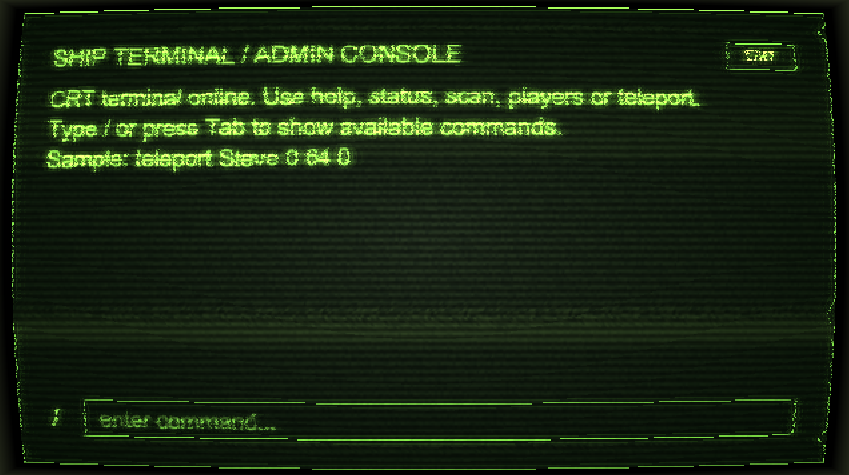
What you are building
This guide rebuilds RetroTerminalScreen as a portable UniScreen. It covers the screen factory, full-size widget tree, AdminConsole customization, typed command registration, and a CRT shader chain.
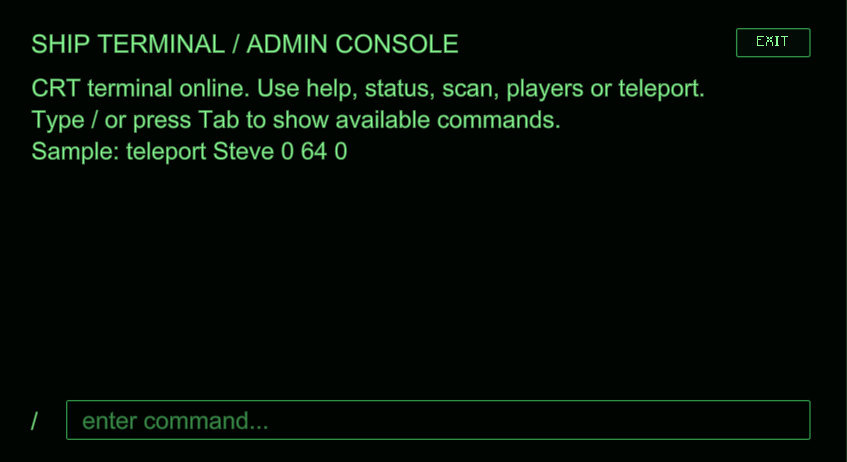
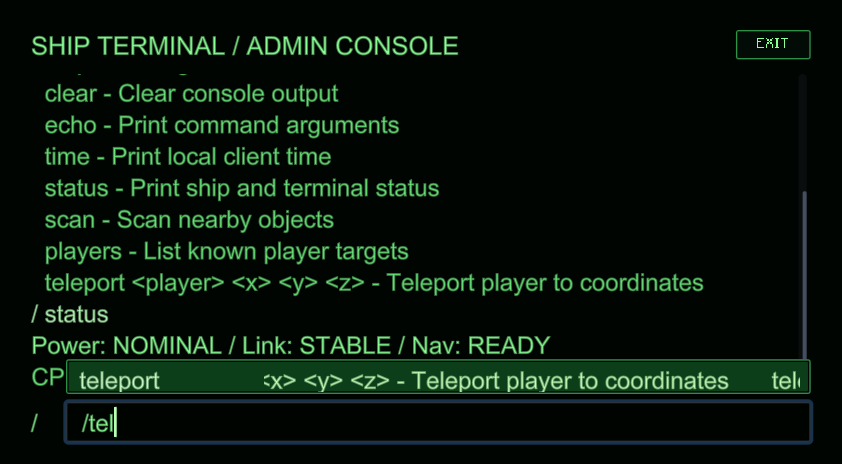
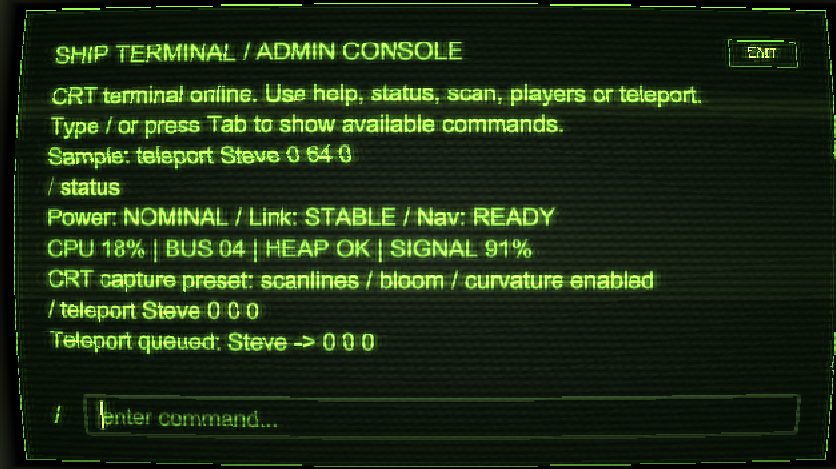
For reproducible captures in TestMod, click Retro Wiki on the title or pause screen. Use Ctrl+Alt+F1 for the base screen, Ctrl+Alt+F2 for the layered root, Ctrl+Alt+F3 for the console, Ctrl+Alt+F4 for command output, Ctrl+Alt+F5 for autocomplete, and Ctrl+Alt+F6 for the effects preset.
1. Create the screen
Start with DefaultUIContext and a UnityLikeUIScaleProvider. The scale provider keeps the terminal readable across different window sizes. Return a UniScreen instead of opening it inside the factory; this keeps construction testable and lets the host decide when to call openGui().
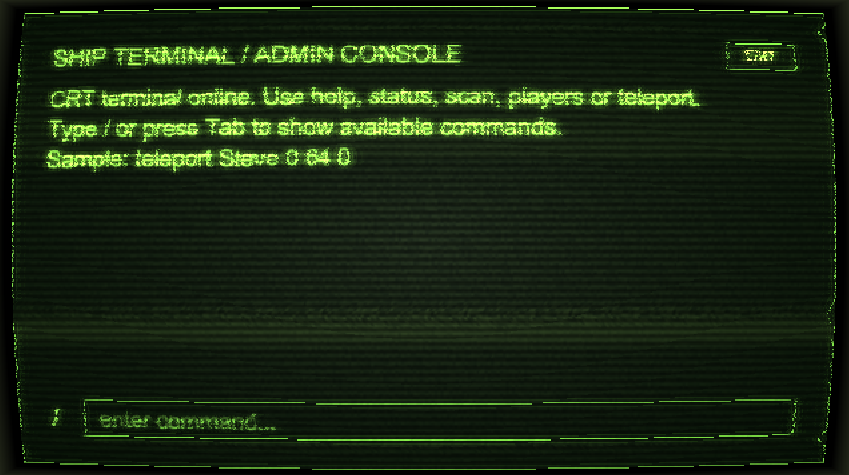
2. Build the widget tree
Use a full-size StackPanel for the scene, then add a background, a vignette border, and the console as separate layers. The OverlayLayer is the root returned by the screen. Layout is expressed with percentage sizes, padding, and flex rules; no Minecraft coordinates are required.
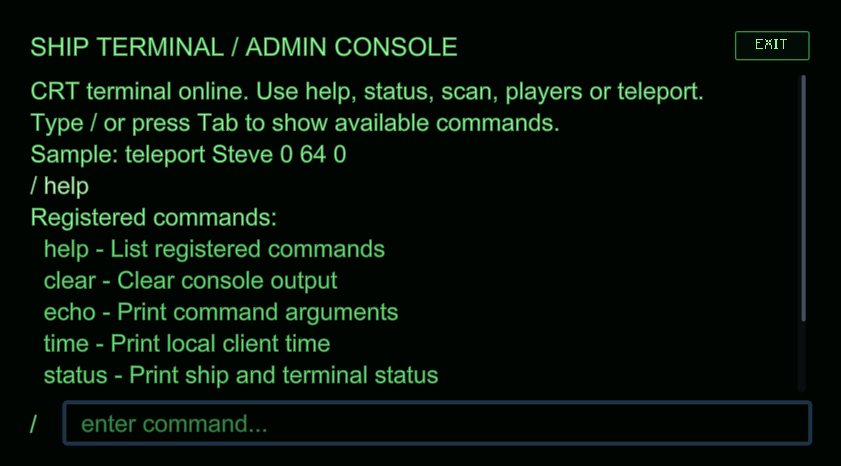
3. Customize AdminConsole
Subclass AdminConsole when the standard command console needs a visual identity. Override the configuration hooks for the root, header, prompt, input field, output labels, completion popup, and scroll view. Keep lifecycle behavior in the base class and change only the visual or content-specific parts.
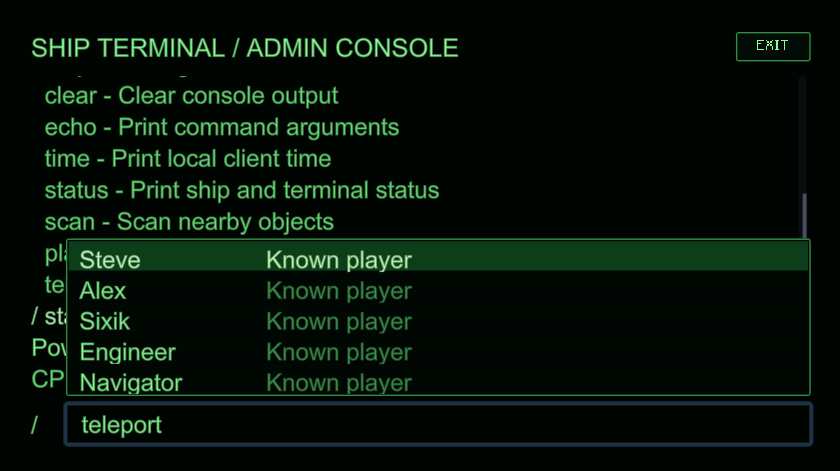
4. Register commands
Register simple commands with registerCommand, and use AdminCommandRegistry.command(...) when a command needs typed arguments and suggestions. The terminal example defines status, scan, players, and teleport; command callbacks append lines through the console API instead of directly touching the renderer.
5. Add the CRT effect
Wrap the widget root in PostProcessingLayer and assign a UiPostEffectChain containing the terminal, bloom, and frame shader passes. Uniforms are configured when the screen is created; the UI tree remains independent from the backend that executes the passes. The selected host backend must implement post-processing, and the host project must package the three shader resources named by the passes.
Screen factory
public static void open() {
    createScreen().openGui();
}

public static UniScreen createScreen() {
    DefaultUIContext context = new DefaultUIContext();
    UnityLikeUIScaleProvider scaleProvider = new UnityLikeUIScaleProvider()
            .referenceResolution(1920.0f, 1080.0f)
            .matchBalanced()
            .scaleRange(0.75f, 12.0f)
            .userScale(3.0f);
    context.scaleProvider(scaleProvider);

    RetroConsole console = new RetroConsole();
    PostProcessingLayer processedRoot = new PostProcessingLayer();
    processedRoot.layout(style -> style.sizePercent(100.0f, 100.0f));
    processedRoot.postEffect(retroEffect(scaleProvider));
    processedRoot.addChild(root(console));
    UniScreen screen = new UniScreen("Retro Terminal", processedRoot, context)
            .scaleWithGameGui(false)
            .renderPolicy(UiRenderPolicy.continuous());
    console.onCloseRequested(event -> screen.closeGui());
    return screen;
}
Layered root
private static Widget root(RetroConsole console) {
    StackPanel stack = new StackPanel();
    stack.layout(style -> style.sizePercent(100.0f, 100.0f).overflow(Overflow.HIDDEN));

    Box background = new Box()
            .themeEnabled(false)
            .backgroundVisible(true)
            .borderVisible(false)
            .background(MutableColor.rgba(0.004f, 0.017f, 0.006f, 1.0f));
    background.layout(style -> style.sizePercent(100.0f, 100.0f)
            .align(Alignment.STRETCH, Alignment.STRETCH));

    Box vignette = new Box()
            .themeEnabled(false)
            .backgroundVisible(true)
            .borderVisible(true)
            .radius(0.0f)
            .background(MutableColor.rgba(0.020f, 0.055f, 0.020f, 0.42f))
            .border(MutableColor.rgba(0.52f, 0.72f, 0.38f, 0.35f));
    vignette.layout(style -> style.sizePercent(100.0f, 100.0f));

    stack.addChild(background);
    stack.addChild(vignette);
    stack.addChild(console);
    return new OverlayLayer(stack);
}
Console customization
private static final class RetroConsole extends AdminConsole {
    @Override
    protected void configureInputField(ConsoleInputField inputField) {
        inputField.placeholder("enter command...");
        inputField.textColor().set(GREEN);
        inputField.borderColor().set(BORDER);
        inputField.layout(style -> style.height(30.0f)
                .flexGrow(1.0f).flexShrink(1.0f));
    }
}
Typed command with suggestions
registerCommand(AdminCommandRegistry.command("teleport", "Teleport player to coordinates")
        .argument("player", "Known player", () -> SAMPLE_PLAYERS)
        .customArgument("x", "X coordinate", COORDINATES)
        .customArgument("y", "Y coordinate", COORDINATES)
        .customArgument("z", "Z coordinate", COORDINATES)
        .executor((console, call) -> {
            List<String> args = call.arguments();
            if (args.size() < 4) {
                console.appendError("Usage: teleport <player> <x> <y> <z>");
                return;
            }
            console.appendInfo("Teleport queued: " + args.get(0) + " -> "
                    + args.get(1) + " " + args.get(2) + " " + args.get(3));
        })
        .build());
CRT post-processing chain
private static UiPostEffectChain retroEffect(UIScaleProvider scaleProvider) {
    UiPostEffectPass terminal = UiPostEffectPass.shader("unigui_testmod:retro_terminal")
            .uniforms(uniforms -> uniforms
                    .vec3("fontColor", 0.78f, 1.00f, 0.43f)
                    .floatValue("scanlineStrength", 0.78f)
                    .floatSupplier("UiScale", () -> UIScaleProvider.sanitize(
                            scaleProvider == null ? 1.0f : scaleProvider.scale())));
    UiPostEffectPass bloom = UiPostEffectPass.shader("unigui_testmod:retro_terminal_bloom");
    UiPostEffectPass frame = UiPostEffectPass.shader("unigui_testmod:retro_terminal_frame");
    return UiPostEffectChain.of(List.of(terminal, bloom, frame));
}